
Home | Videos by Category | About | Viewing Help | Events
ETRdotTV ThunderWAN
ETRdotTV ThunderWAN is our UNLIMITED Broadband Internet Service
Available now at Toronto Island Marina, ETRdotTV ThunderWAN lets boaters enjoy great Internet service while on their boats dockside, or almost anywhere in the marina.
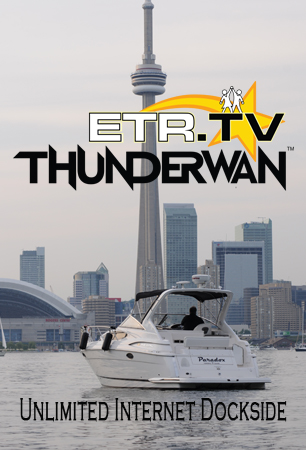
Utilizing a digital link across the harbour to a commercial datacentre, ETRdotTV ThunderWAN enjoys almost unlimited Internet connectivity. We peer with providers like Cogent, Beanfield, AT&T, Comcast, Cogeco, Rogers, Telus, Bell and others.
Sign up by clicking here, or phone or text Ron Shaw at 416 709 9072 or via email at ron.shaw@magnacom.ca
Service is 24x7 and is provisioned for 10Mb/s both upload and download speed. Data transfer is UNLIMITED so you can stream away. We support most Windows 10, iOS, and Android devices with a standard account. You may have up to 3 devices with the standard account.
Security is provided by our RADIUS authentication server using Enterprise grade logins with unique usernames and passwords for every user. We can optionally also support non-enterprise devices such as smart TVs, game consoles and smart speakers.
There are Visitor and Seasonal rate plans.
Current 2022 rates, excluding HST, for standard Visitor accounts are:
$36 per weekend Friday to Monday
$68 per 7 day week
$148 per single month
Current rates, excluding HST, for standard Seasonal accounts are:
Three Device Standard Tier:
-Monthly rate for service for Full Season Segment (April through November) $66 (Segment total=$528)
-Monthly rate for service for Prime Season Segment (June through September) $96 (Segment total=$384)
One Device Mini Tier:
-Monthly rate for service for Full Season Segment (April through November) $38 (Segment total=$304)
-Monthly rate for service for Prime Season Segment (June through September) $52 (Segment total=$208)
Additional device OR Smart TV/Game Console/Smart Speaker is $10 per month per device on Standard Tier plans and $18 per month per device on Mini Tier. All seasonal plans require a 3 or 4 month prepayment. Please ask for details.
There are currently no activation charges or winter account maintenance fees - no surprises, simple pricing!
Sign up now. No credit card required.